
How to Optimize Your Google Business Profile: The Complete GBP Optimization Checklist
Google Business Profile optimization has changed.
For years, local businesses treated their Google Business Profile as a digital business listing: add your business name, address, phone number, hours, a few photos and some reviews, and you’re done.
That is no longer enough.
Google Business Profile is an important source of structured, current information about your business across Google Search and Google Maps. And Google’s integration of Google Business Profile directly with Gemini makes the connection between business information and AI even more important.
Google now allows eligible verified businesses to connect their Google Business Profile directly to the Gemini web app. Once connected, Gemini can help business owners:
Review and update Business Profile information
Review business attributes and location information
Update business descriptions
Access customer reviews and associated media
Analyze and summarize customer feedback
Identify themes within reviews
Draft review responses
Create and manage Google Posts
Analyze Business Profile performance
Review the specific search keywords customers use to find the business
Google Source: Manage Your Business Profile on Google With the Gemini Web App
This is a major development for local businesses.
Google Business Profile information isn’t sitting in an isolated dashboard. Google is increasingly bringing Business Profile information, customer feedback, content, performance data and AI together.
Google also explains that Business Profile information can come from several sources—not just the information a business owner enters. These sources can include publicly available information such as your official website, licensed third-party data, information contributed by users, photos, reviews and Google’s own interactions with businesses and places.
Google Source: Understand How Google Sources and Uses Information in Business Profiles and Local Search Results
That means your Google Business Profile needs to be looked at as part of a much bigger digital picture.
At CAUSE Marketing Agency, we call this Google Business Profile AI Optimization.
The question isn’t simply:
“Did we complete our Google Business Profile?”
The better question is:
“Are we giving Google, Gemini, AI search platforms and prospective customers a clear, consistent, current and trustworthy picture of who we are, what we do, where we do it and what we’re known for?”
This checklist walks you through the CAUSE Marketing Google Business Profile AI Optimization process.
Why Google Business Profile Optimization Matters More in the Age of AI
Google says businesses with complete and accurate information are more likely to appear in relevant local search results.
Google primarily evaluates local search results using three factors:
Relevance — How well a Business Profile matches what someone is searching for.
Distance — How far a potential result is from the location used in a search.
Prominence — How well known the business is, including information Google has about the business from across the web.
Google also confirms that more reviews and positive ratings can help a business’s local ranking.
Google Source: Tips to Improve Your Local Ranking on Google
But search itself is changing.
People aren’t always typing two or three keywords anymore.
They’re asking questions.
Destination BC provides an excellent real-world example.
Its search guidance tells tourism businesses to pay attention to the exact questions travellers ask and the language they use because discovery now takes place across Google, voice search, social platforms and AI tools such as ChatGPT and Google Gemini.
Instead of:
“Okanagan winery”
someone might ask:
“Can you recommend a locally owned winery in the Okanagan with private tastings?”
Instead of:
“Whistler hotel”
someone might ask:
“Where should we stay near Whistler for a romantic weekend with a spa?”
Instead of:
“Tofino kayak”
someone might ask:
“Where can I rent a kayak in Tofino and is it suitable for beginners?”
Destination BC specifically recommends creating content around these natural questions and notes that closely aligning content with how people ask questions can improve the likelihood of appearing in search results and AI overviews.
Destination BC Resource: Using Search Insights to Spark New Content Ideas
This isn’t only relevant to tourism.
A homeowner might ask:
“Who can fix a leaking water heater near me today?”
A patient might ask:
“Can you recommend a chiropractor near me who treats sports injuries?”
A customer might ask:
“What’s a good locally owned restaurant with a patio that’s good for an anniversary?”
A homeowner might ask:
“Which landscapers near me specialize in low-maintenance gardens?”
The more specific the question becomes, the more clearly a business needs to communicate what it actually does.
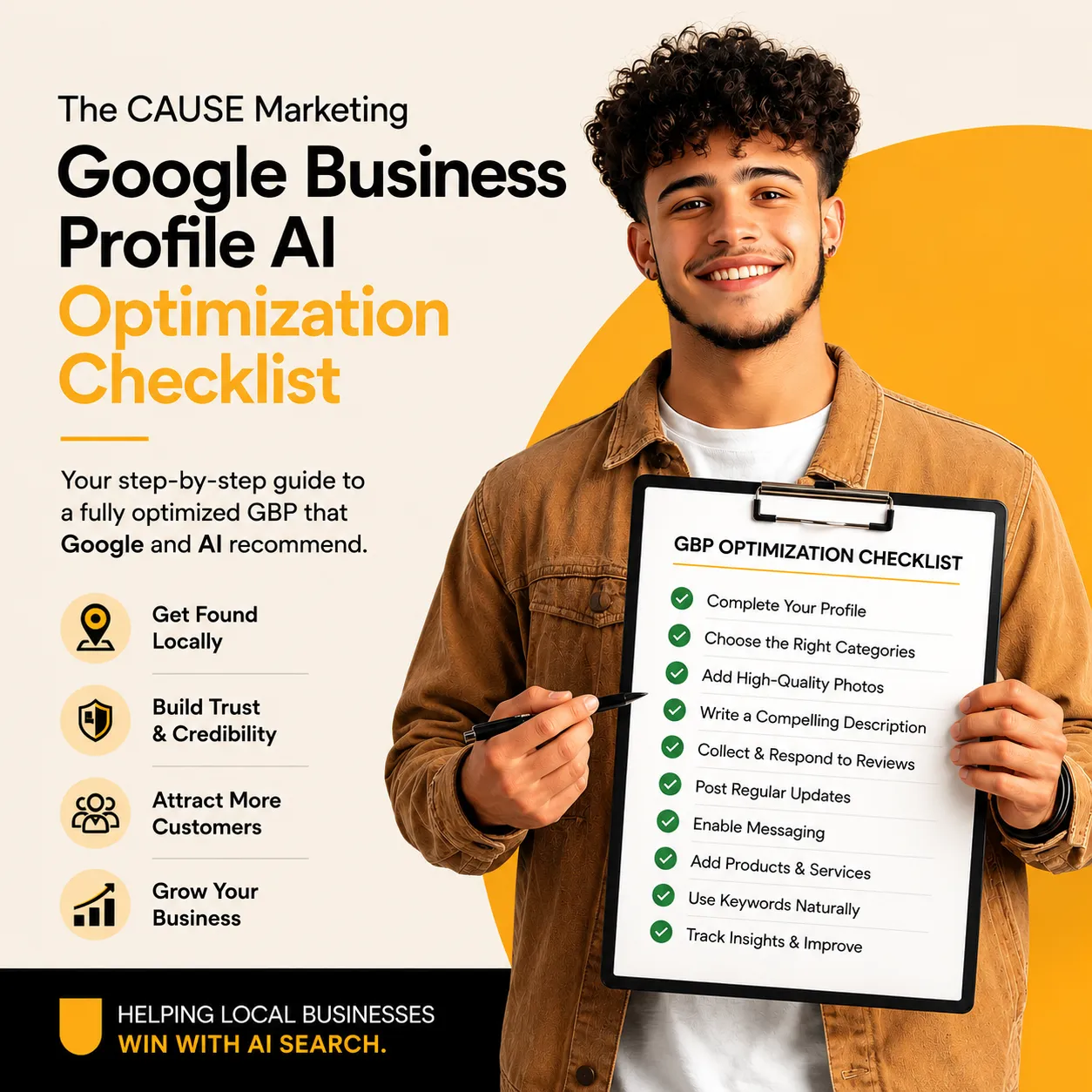
The Google Business Profile Optimization Checklist
How to Use This Checklist
There’s a lot of information in this guide, so don’t feel like you need to complete everything at once.
Print this page, save it, or copy and paste the checklist into a document so you can work through it section by section.
Start with the basics, then move through your services, products, attributes, photos, video, reviews, website connections and AI visibility checks.
Use the Monthly GBP Maintenance Checklist at the end to keep your profile current once the initial optimization is complete.
1. Verify Your Google Business Profile
Before you optimize anything, make sure your Google Business Profile is claimed and verified.
Verification establishes that you’re authorized to manage the business.
It also becomes increasingly important as Google connects Business Profile functionality with Gemini.
Google currently requires an eligible user to be an owner or manager of a verified Business Profile to connect it with Gemini.
Checklist
☐ Claim your Google Business Profile
☐ Complete Google’s verification process
☐ Confirm the correct owner has primary ownership
☐ Review current managers
☐ Remove outdated users
☐ Give appropriate team members the correct access
☐ Confirm the Google Account connected to the business
Google Source: Manage Your Business Profile on Google With the Gemini Web App
2. Make Sure Your Core Business Information Is Complete and Accurate
Start with the facts.
Review:
☐ Business name
☐ Address
☐ Phone number
☐ Website
☐ Regular hours
☐ Holiday and special hours
☐ Service areas
☐ Appointment links
☐ Booking links
☐ Other available action links
☐ Social profiles where available
Then compare that information with your website and important online listings.
Google says it compiles business information from multiple sources.
That means conflicting information creates an unnecessarily confusing digital footprint.
If Google Business Profile says you close at 5:00 PM, your website says 6:00 PM and another major listing says 4:30 PM, which information represents the business today?
Your digital presence should provide a consistent answer.
Google Source: Understand How Google Sources and Uses Information in Business Profiles and Local Search Results
3. Choose the Right Primary Business Category
Your primary category helps define what your business actually is.
Don’t automatically choose the broadest category.
Choose the category that most accurately represents the core business.
For example, a business shouldn’t try to describe every possible service through its primary category.
Checklist
☐ Review your current primary category
☐ Make sure it reflects the core business
☐ Research available Google categories
☐ Compare appropriate categories with relevant competitors
☐ Confirm the category still represents the business today
☐ Don’t select categories simply to insert keywords
CAUSE Marketing Tip: Your primary category answers an important entity question:
What is this business?
Make the answer as clear and accurate as possible.
4. Review Your Additional Categories
Your primary category doesn’t necessarily tell the whole story.
Additional categories can help represent other legitimate parts of the business.
For example, a wellness business may provide several distinct services.
A hotel may also have an on-site restaurant, spa or other amenities represented through Google’s available profile features.
A home-services company may legitimately operate across several related service categories.
Checklist
☐ Review existing additional categories
☐ Identify relevant additional categories
☐ Remove outdated categories
☐ Remove categories that don’t accurately represent the business
☐ Confirm that every selected category represents something you genuinely offer
Don’t add categories simply because you’d like to appear for more searches.
Accuracy first.
5. Optimize Your Business Description
Your business description should clearly explain:
☐ Who you are
☐ What you do
☐ Your primary services or products
☐ Who you serve
☐ Where you operate
☐ What differentiates the business
Avoid vague descriptions such as:
“We provide exceptional service and unforgettable experiences.”
Exceptional service doing what?
Instead, clearly describe the business.
A boutique resort could explain the type of accommodation it provides, where it is located, important amenities and the type of experience guests can expect.
A physiotherapy clinic could clearly describe its primary treatments, patient groups and community.
A winery could explain its tasting experiences, vineyard, region and important offerings.
Specificity gives both customers and digital systems more context.
And here’s where Google’s own AI functionality becomes especially relevant.
Google now offers an AI-powered Business Profile description feature in eligible regions. Google says this feature can generate a description using information from your Business Profile and other sources such as your website.
Google then gives businesses a very specific recommendation for improving that AI-generated description:
Keep your Business Profile up to date.
Why?
Because Google says the AI feature uses information from the Business Profile to suggest the business description.
That’s a direct example of current Business Profile information being used by Google’s AI functionality.
Google Source: Manage Your Business Profile Description
6. Build Out and AI-Optimize Your Services
This is one of the biggest missed opportunities we find when auditing Google Business Profiles.
Many businesses add a broad service name and stop there.
For a spa, that might look like this:
DON’T DO THIS
Spa
Or even:
Couples Massage
No description
Prenatal Massage
No description
Deep Tissue Massage
No description
Facials
No description
That leaves too much information out.
DO THIS INSTEAD
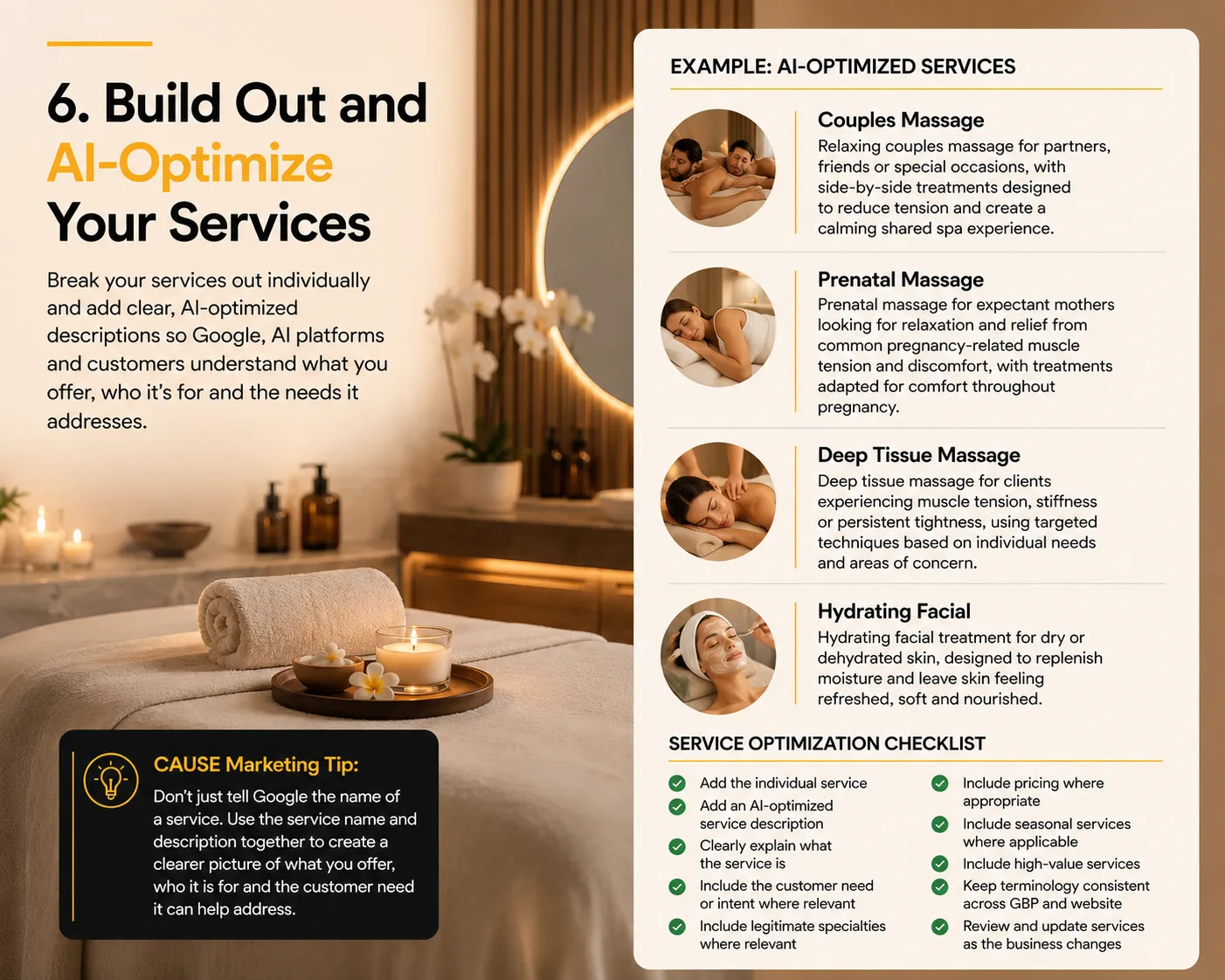
Break your services out individually and add a clear, AI-optimized description for each important service.
For example:
Couples Massage
Relaxing couples massage for partners, friends or special occasions, with side-by-side treatments designed to reduce tension and create a calming shared spa experience.
Prenatal Massage
Prenatal massage for expectant mothers looking for relaxation and relief from common pregnancy-related muscle tension and discomfort, with treatments adapted for comfort throughout pregnancy.
Deep Tissue Massage
Deep tissue massage for clients experiencing muscle tension, stiffness or persistent tightness, using targeted techniques based on individual needs and areas of concern.
Hydrating Facial
Hydrating facial treatment for dry or dehydrated skin, designed to replenish moisture and leave skin feeling refreshed, soft and nourished.
The goal is not simply to list the name of the service.
The goal is to give Google, AI platforms and prospective customers more context around:
What the service is
Who it is for
What need it addresses
What makes it relevant
This becomes even more important as search becomes more conversational.
A potential customer may not simply search:
“spa near me”
They may ask:
“Can you recommend a spa with parking that offers couples massage?”
“What’s a good wheelchair-accessible spa with relaxing treatments?”
“Which spas specialize in prenatal massage?”
“Can you recommend a spa that specializes in facials for sensitive skin?”
Those questions combine multiple pieces of information:
Service + specialization + customer need + attributes + amenities + location
That is why each section of your Google Business Profile needs to be complete and work together.
Your services and service descriptions explain what you offer.
Your attributes can add context such as accessibility, parking and other applicable business features.
Your location and service-area information help establish where you operate.
And your website can provide the deeper supporting information behind your most important services.
Service Optimization Checklist
For every important service:
☐ Add the individual service
☐ Add an AI-optimized service description
☐ Clearly explain what the service is
☐ Include the customer need or intent where relevant
☐ Include legitimate specialties where relevant
☐ Include pricing where appropriate
☐ Include seasonal services where applicable
☐ Include high-value services
☐ Keep terminology consistent across your Google Business Profile and website
☐ Review and update services as the business changes
Keep Your Services Consistent Across Your GBP and Website
The services you optimize on your Google Business Profile should also be clearly represented on your website.
If Prenatal Massage is an important GBP service, your website should support that service with relevant content—and for priority services, ideally a dedicated service page.
We’ll look more closely at how your Google Business Profile and website should work together later in this checklist.
CAUSE Marketing Tip: Don’t just tell Google the name of a service. Use the service name and description together to create a clearer picture of what you offer, who it is for and the customer need it can help address.
7. Build Out and Optimize Your Products — Where Relevant
Not every local business needs a Products section.
For service-based businesses such as spas, chiropractors, plumbers or wellness clinics, your Services should do the heavy lifting.
But if your business also sells physical products, retail items, gift sets or other appropriate offerings, your Google Business Profile Products section can add another layer of useful information.
DON’T DO THIS
Don’t duplicate your services as products.
For example:
Service: Couples Massage
Product: Couples Massage
or
Service: Hydrating Facial
Product: Hydrating Facial
That creates unnecessary duplication.
DO THIS INSTEAD
Use your Services section for the treatments and services customers book.
Use your Products section for actual products the business sells.
For a spa, that might look like:
Services
Couples Massage
Prenatal Massage
Deep Tissue Massage
Hydrating Facial
Products
Hydrating Facial Serum
Gentle Facial Cleanser
SPF Skincare
Body Oil
Wellness Gift Set
Skincare Gift Package
Each product should be built out with as much useful information as Google allows.
Product Optimization Checklist
☐ Add the individual product
☐ Use a specific product name
☐ Add a clear, useful product description
☐ Add the correct price where appropriate
☐ Add a relevant product category
☐ Add a link where available
☐ Use a real image of the actual product
☐ Keep product information consistent with your website
☐ Update or remove products that are no longer available
Use Real Product Images — Not Just Catalogue Images
Whenever possible, use original photos of the actual products available at your business instead of relying only on manufacturer catalogue images.
For example, instead of using the same stock image of a skincare serum that appears on hundreds of websites, photograph the actual serum:
On display inside the spa
In the treatment room
As part of a skincare collection
In a gift package
In the real environment where customers encounter it
Google recommends adding business-specific photos that accurately represent the products a business actually sells.
Google Source: Tips for Business-Specific Photos on Your Business Profile
A catalogue image may show what the product looks like.
An original business photo can also provide context around:
Who sells it
Where it is available
How it fits into the customer experience
What other products or services it is associated with
That makes your visual content more useful to both prospective customers and AI systems interpreting information about the business.
Keep Products Connected to Your Website
Just like your services, your important products should be supported by your website where appropriate.
If your Google Business Profile features a particular skincare line, wellness product or gift set, customers should be able to find supporting information about it on your website.
The terminology, pricing and availability should remain consistent.
CAUSE Marketing Tip: Think of Products as an additional layer of business information—not a second Services section. Use Services to explain what customers can book and Products to show what customers can buy.
8. Complete Your Business Attributes
Attributes add another layer of detail about your business.
Depending on your category and the attributes Google makes available, these might include:
☐ Accessibility
☐ Parking
☐ Payment options
☐ Amenities
☐ Service options
☐ Online services
☐ On-site services
☐ Appointment requirements
☐ Languages
☐ Other category-specific features
These details become particularly useful when customers search conversationally.
Someone may not ask:
“spa Vancouver.”
They may ask:
“Find me a spa near downtown Vancouver with wheelchair access.”
Or:
“Where can I find a restaurant with outdoor seating?”
Gemini can now directly review Business Profile attributes when an eligible Business Profile is connected.
Google even gives this as an example Gemini prompt:
“Review all my business attributes.”
That’s a strong reason to stop treating attributes as optional profile housekeeping.
Google Source: Manage Your Business Profile on Google With the Gemini Web App
9. Check Your Service Areas
If you travel to customers, make sure your service areas accurately reflect where you actually operate.
Review:
☐ Primary market
☐ Surrounding communities
☐ Actual service areas
☐ Priority markets
☐ Website location information
Don’t add cities simply because you’d like to rank there.
Your Google Business Profile and website should accurately reflect your real-world operations.
10. Build a Strong Original Photo Strategy
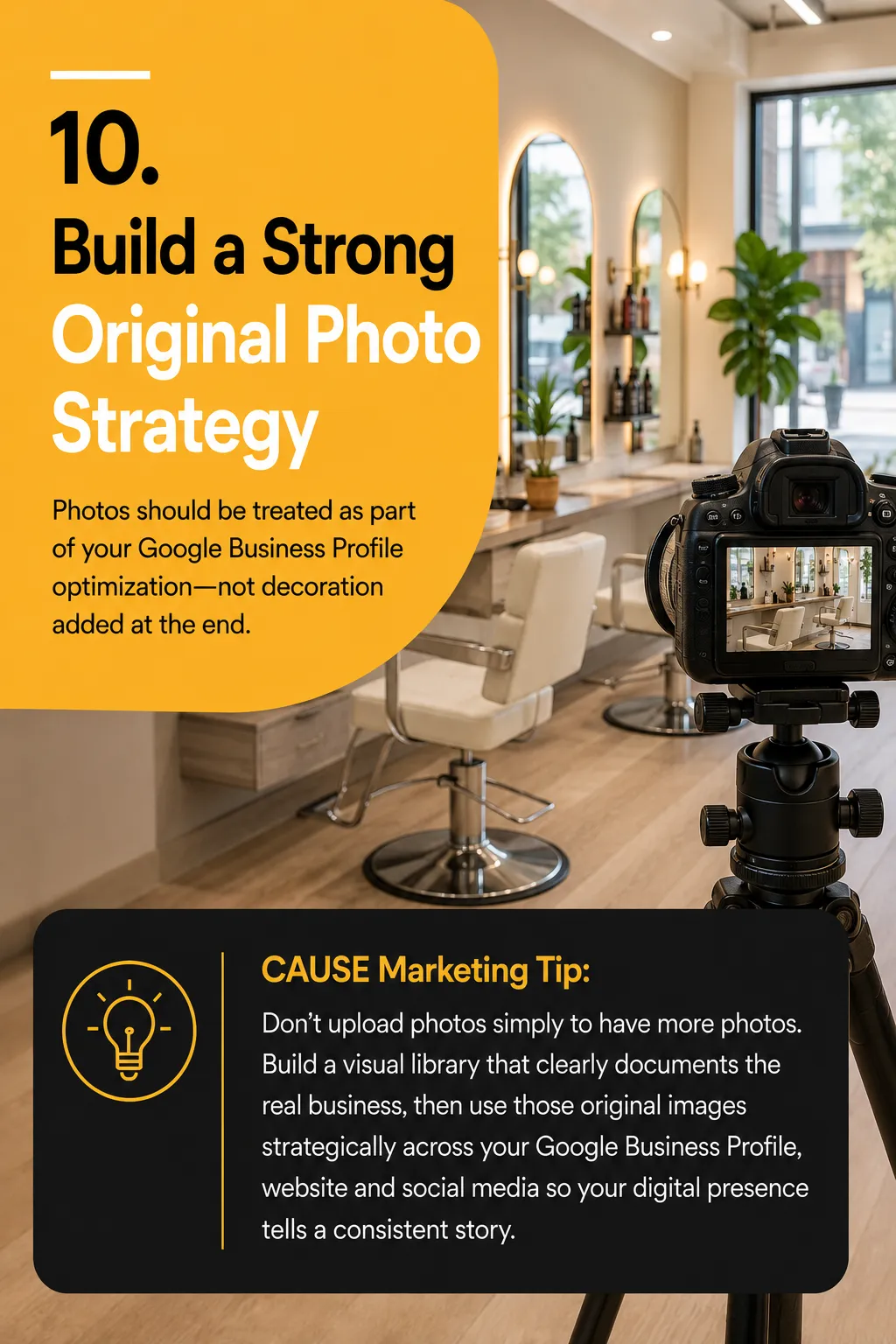
Photos should be treated as part of your Google Business Profile optimization—not decoration added at the end.
Google recommends business-specific photos that help customers understand the real business, including:
Exterior
Interior
Products
Services being performed
Food and drinks
Hotel rooms
Common areas
Team members
Google Source: Tips for Business-Specific Photos on Your Business Profile
Why Photos Matter for AI
AI systems can interpret visual information, recognize objects and scenes, read text within images and connect visual details with other information about a business.
Google also uses visual technologies across products such as Maps, Lens and Gemini.
That means your photo library can help reinforce:
What you do
What you sell
Where you operate
Who you are
What the customer experience looks like
What makes your business different
A boutique hotel with current original photos of its rooms, lobby, restaurant, spa, amenities, team and seasonal experiences provides far more real-world context than a profile with a handful of outdated or generic images.
Use Original Photos — Not Just Stock or Catalogue Images
Whenever possible, use real photos of your actual business, products, services, people and environment.
A catalogue image may show what a product looks like.
An original photo can also show who sells it, where it is available and how it connects to your business.
Use the Right Photo Sizes
Google’s current photo requirements include:
Format: JPG or PNG
File size: 10 KB to 5 MB
Recommended resolution: 720 × 720 px
Minimum resolution: 250 × 250 px
Keep your original high-resolution files and resize them as needed.
For reusable square content across GBP and social media, CAUSE Marketing recommends starting with 1080 × 1080 px.
Google Source: Manage Photos or Videos for Your Business Profile
Connect Your Social Media Profiles
Google allows eligible businesses in supported regions to add social media links directly to their Business Profile, including:
Facebook, Instagram, LinkedIn, Pinterest, TikTok, X and YouTube.
Go to:
Edit profile → Contact → Social profiles
This makes it easier to use one strong library of original content across your GBP, website and social media instead of creating separate content for every platform.
Google Source: Manage Your Social Media Links
Photo Checklist
☐ Logo and cover image
☐ Exterior and interior
☐ Owner and team
☐ Products
☐ Services in action
☐ Food, rooms or amenities where relevant
☐ Completed work
☐ Seasonal and community content
☐ New original photos added regularly
☐ Social profiles connected where available
Google recommends photos that are clear, well lit and representative of reality without excessive alteration, filters or AI.
CAUSE Marketing Tip: Build one high-quality library of original photos that documents the real business, then use it consistently across your Google Business Profile, website and social media.
11. Add Short, Original Video
Video is becoming increasingly important as Google search and discovery become more visual, conversational and multimodal.
Google Maps now includes Ask Maps, a Gemini-powered experience that lets people ask detailed questions about places instead of relying only on traditional keyword searches.
Google says Ask Maps uses fresh information about places, including reviews and real-world imagery, to provide recommendations and specific details about destinations.
Google Source: Ask Questions in Google Maps
Google Blog: How We’re Reimagining Maps With Gemini
Why Short Video Matters
Ask Maps does not currently require businesses to upload short videos in order to be recommended.
But the direction Google is moving is clear: search is becoming increasingly visual and multimodal.
AI systems such as Gemini can understand more than text. They can process images, video, spoken language and visual context together.
For local businesses, short original videos provide another way to clearly show:
What you do
What you sell
What your business looks like
What the customer experience looks like
Your amenities and facilities
Your people
Your location
What makes the business different
A spa could show a treatment room or couples massage area.
A restaurant could show a signature dish being prepared.
A boutique hotel could show a room, view or amenity.
A contractor could show a completed installation.
A winery could show its tasting room or vineyard experience.
Keep Videos Short and Useful
Google Business Profile currently supports videos that are:
Up to 30 seconds
Up to 75 MB
720p resolution or higher
Google Source: Manage Photos or Videos for Your Business Profile
Think of these videos as short pieces of real-world business evidence, not advertisements.
A 20–30 second video showing the actual experience can communicate far more than a generic promotional graphic.
Create Once, Use Everywhere
Keep the original high-quality video so you can reuse it across your:
Google Business Profile
Website
Instagram and Facebook Reels
TikTok
YouTube
Where appropriate, connect the content back to the relevant service page, product page, booking page or website content so the video is supported by deeper information about the business.
Video Checklist
☐ Short original videos
☐ Services in action
☐ Products or offerings
☐ Interior and exterior
☐ Owner and team
☐ Amenities and facilities
☐ Customer experience
☐ Completed work
☐ Seasonal content
☐ New videos added regularly
☐ Relevant website or booking page connected where appropriate
CAUSE Marketing Tip: Google search and Maps are becoming increasingly visual and conversational. Start building a library of short, authentic videos now so your business has strong visual content as AI-powered local discovery continues to evolve.
12. Develop a Google Review Strategy
Reviews are one of the most important trust signals on your Google Business Profile.
Google says reviews can help businesses stand out and provide potential customers with useful information. Businesses can also create a direct review link or QR code to make requesting reviews easier.
Google Source: Tips to Get More Google Reviews
Review Checklist
☐ Create your Google review link
☐ Create a review QR code
☐ Ask customers consistently
☐ Build the request into your customer journey
☐ Monitor new reviews
☐ Respond to reviews
☐ Never offer incentives in exchange for reviews
Google requires reviews to reflect genuine customer experiences and prohibits incentives for reviews.
Develop a Review Seed Word Strategy for AI
At CAUSE Marketing, we recommend identifying the services, experiences, specialties and customer needs you want to become known for and using them as review seed words.
These are not words you tell customers to put into their reviews.
They are themes that help you develop natural questions that encourage customers to describe their genuine experience in more detail.
For example:
Spa: couples massage, prenatal massage, facial, relaxation, sensitive skin
Hotel: romantic getaway, family-friendly, ocean view, pet-friendly, spa
Winery: wine tasting, vineyard, private tasting, food pairing, Okanagan
Chiropractor: sports injury, back pain, neck pain, mobility, rehabilitation
Plumber: water heater, drain cleaning, emergency plumbing, leak repair, same-day service
Instead of simply asking:
“Would you leave us a review?”
You can naturally ask:
“What service did we help you with?”
“What stood out about your experience?”
“Which treatment did you book?”
“What did you enjoy most about your stay?”
“What problem did our team help you solve?”
The customer should always write the review in their own words.
This is particularly interesting for service businesses because Google says customers may be asked to select the specific service they received when leaving a review. Those options can come from the business’s service list and other sources.
CAUSE Marketing Tip: Don’t script reviews. Help customers remember the details of their genuine experience so their reviews naturally contain useful context about what your business actually does.
13. Pay Attention to the Language Customers Use
Your reviews are a valuable source of real customer language.
Look for recurring references to:
Specific services
Products or treatments
Problems customers needed solved
Results
Locations
Employees
Amenities
Experiences
Reasons customers selected the business
A customer might not say:
“Excellent HVAC diagnostic services.”
They may say:
“They found out why our furnace wasn’t working and had the heat back on the same day.”
That language can reveal how real customers describe their needs—and those words may be very different from the terminology the business uses internally.
Google Is Already Looking for Themes in Reviews
Google uses customer review content to generate Place Topics for eligible businesses with enough quality reviews.
Google says these topics are based on the themes, keywords and information customers repeatedly highlight in their reviews.
Google Source: Understand Business Summaries on Google Maps
This is another reason to pay attention to what customers naturally say about your business.
Check What People Are Actually Searching For
Don’t guess what customers call your services. Compare your review language with Google’s own search data.
Google Business Profile Performance
Your Business Profile Performance report can show the search terms people used to find your business on Google Search and Maps.
Google says a search query can appear in this report when your Business Profile appears for that particular search.
Google Source: Understand Your Business Profile Performance & Insights
Google Search Console
Google Search Console is a free Google tool that shows how your website performs in Google Search.
Go to:
Search Console → Performance → Search Results → Queries
Here you can see the searches that caused your website to appear in Google Search, along with:
Impressions
Clicks
Click-through rate
Average position
Google Source: Google Search Console Performance Reports
Put the Three Together
Now compare:
1. What customers say in reviews
2. What people search to find your Google Business Profile
3. What people search before seeing or visiting your website
Look for patterns.
If customers repeatedly talk about couples massage, GBP Performance shows searches related to couples massage, and Search Console shows your website appearing for similar searches, that’s valuable evidence about how customers understand and search for that service.
Use these insights to improve your:
Service descriptions
Website service pages
FAQs
Google Posts
Blog content
Future photo and video content
CAUSE Marketing Tip: Don’t build your content strategy around keywords you think customers use. Listen to the language customers use in reviews, then compare it with the actual search terms Google shows in your Business Profile Performance and Search Console data.
14. Respond to Your Reviews
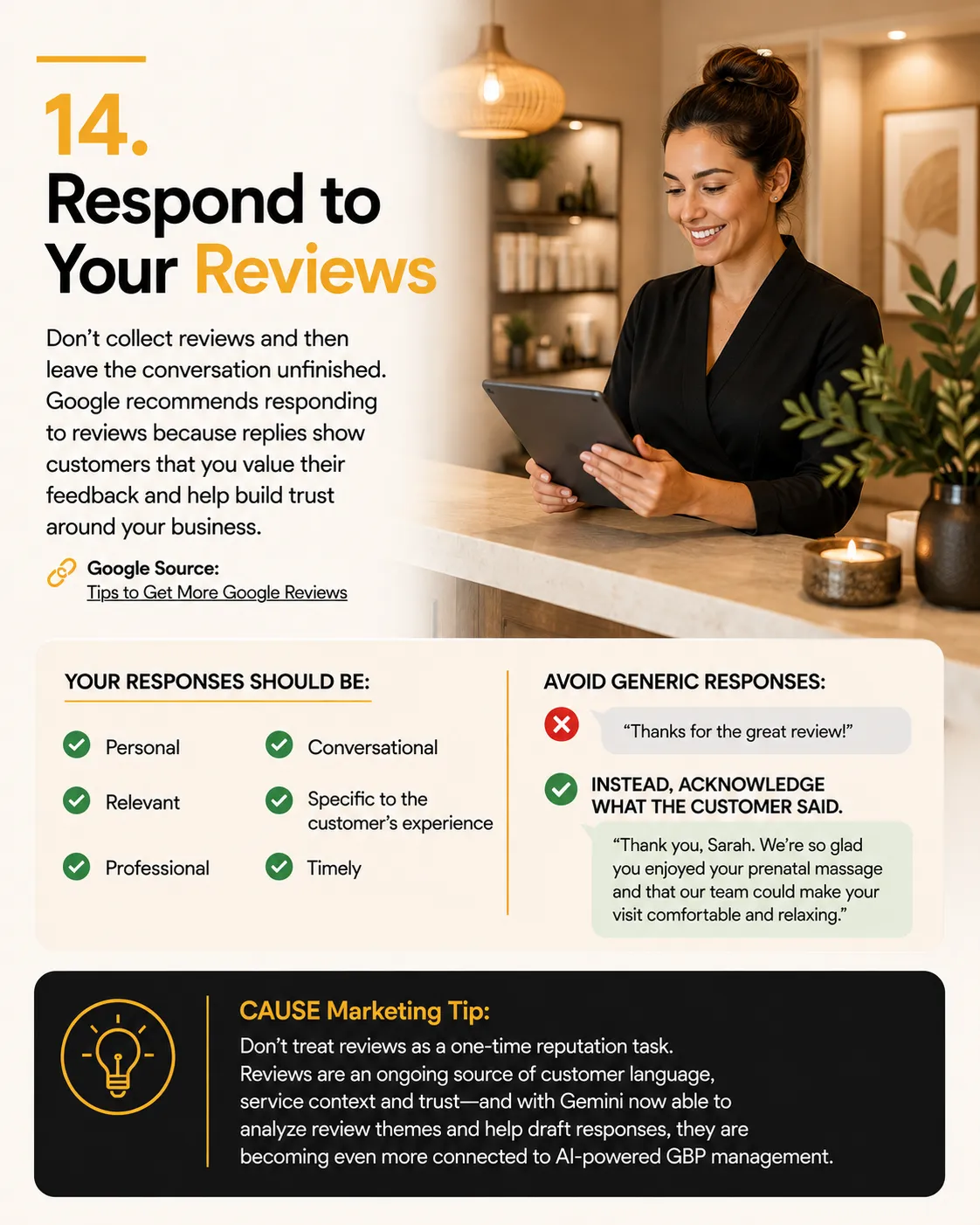
Don’t collect reviews and then leave the conversation unfinished.
Google recommends responding to reviews because replies show customers that you value their feedback and help build trust around the business.
Google Source: Tips to Get More Google Reviews
Your responses should be:
☐ Personal
☐ Relevant
☐ Professional
☐ Conversational
☐ Specific to the customer’s experience
☐ Timely
Avoid generic responses such as:
“Thanks for the great review!”
Instead, acknowledge what the customer actually said.
For example:
“Thank you, Sarah. We’re so glad you enjoyed your prenatal massage and that our team could make your visit comfortable and relaxing.”
That response is more useful because it connects directly to the real service and customer experience.
Gemini Can Now Help Manage Review Responses
Google’s new Google Business Profile integration with Gemini makes review management even easier.
Eligible businesses can connect their Google Business Profile directly to Gemini and ask it to:
Show recent customer reviews
Summarize review feedback
Identify recurring review themes
Draft replies to customer reviews
Access review media
Help manage Business Profile posts
Google even gives example prompts such as:
“Show me my recent customer reviews.”
“Summarize my recent reviews.”
“Help me draft a reply to my latest review.”
Google Source: Manage Your Business Profile on Google With the Gemini Web App
This is another example of how Google Business Profile management is becoming increasingly connected with AI.
Review Management Should Be Ongoing
Reviews continue coming in after your initial Google Business Profile optimization is complete.
That means review generation, monitoring, response strategy and customer-language analysis should become part of your ongoing marketing.
At CAUSE Marketing, this is included within our AI Search Marketing programs, where we help businesses continually strengthen the signals surrounding their business across Google and AI search.
Our ongoing review strategy can include:
Automated review requests where permitted
Review seed-word strategy
Service and location keyword research
New review monitoring
AI-assisted review responses
Reputation management
Ongoing analysis of customer language and review themes
Learn More: AI Search Marketing
CAUSE Marketing Tip: Don’t treat reviews as a one-time reputation task. Reviews are an ongoing source of customer language, service context and trust—and with Gemini now able to analyze review themes and help draft responses, they are becoming even more connected to AI-powered Business Profile management.
15. Keep Your Google Business Profile Fresh
Google Business Profile optimization requires ongoing maintenance.
Your business evolves—services, products, hours, team, photos, seasonal offers and even the questions customers ask all change over time.
Google recommends keeping Business Profile information complete, accurate and up to date so it can better understand the business and match it to relevant local searches.
Google Source: Tips to Improve Your Local Ranking on Google
Why Freshness Matters for AI Search
As Google Search and Maps become more conversational through Gemini, AI Overviews and Ask Maps, your digital information needs to reflect the business that exists today.
If a new service, amenity, product, hour or offer is missing from your GBP and website, Google and AI search have less current information to work with.
The goal is simple:
Keep the digital version of your business aligned with the real business.
Connect Your Blog to Your Google Business Profile
When you publish a useful blog post, create a related Google Business Profile Post and link it back to the article or relevant service page.
For example:
Blog: 5 Benefits of Prenatal Massage
GBP Post: Looking for prenatal massage? Read our latest guide.
Button: Learn More
Google Posts can include text, photos, videos, updates, offers, events and website links.
Google Source: Create & Manage Posts on Your Business Profile
Monthly GBP Freshness Checklist
☐ Check business information and hours
☐ Review services, products and attributes
☐ Add new original photos and short videos
☐ Respond to reviews
☐ Publish Google Posts
☐ Link relevant Posts to blogs or service pages
☐ Check website, booking and social links
☐ Remove outdated information
☐ Test important Google and AI searches
CAUSE Marketing Tip: Optimization builds the foundation. Ongoing updates keep your GBP, website and content current and give Google and AI search a clearer picture of your business.
16. Connect Your GBP to an AI-Ready Website
Optimizing your Google Business Profile is the foundation—but your website needs to support and expand on that information.
Google says Business Profile information can come from multiple sources, including your official website.
Google Source: Understand How Google Sources and Uses Information in Business Profiles
This is where Website AEO (Answer Engine Optimization) becomes important.
At CAUSE Marketing, we connect your GBP optimization to your website by focusing on the information Google and AI search need to clearly understand your business.
Start With the Questions Customers Are Asking
One of the first places we start is your FAQs.
Instead of generic questions, build FAQs around the real conversational questions customers ask Google, Gemini and other AI search platforms.
For a spa:
“Do you offer prenatal massage?”
“Can couples book massages together?”
“Do you have parking?”
“Which facial is best for sensitive skin?”
Then connect those answers to the appropriate service pages, location pages and other relevant website content.
Connect Your Services and Content
Your important GBP services should be supported by your website.
For example:
GBP Service → Prenatal Massage
↓
Website → Prenatal Massage Service Page
↓
FAQs → Questions about prenatal massage
↓
Blog → Helpful prenatal massage content
↓
Google Posts → Link back to the relevant content
This creates a connected information structure instead of isolated pages.
Add Schema
We also add appropriate structured data/schema to help search engines understand important information on the website, such as the business, services, locations and other relevant content.
Schema does not guarantee that Google or an AI platform will recommend your business, but it gives search engines additional structured information about your content.
CAUSE Website AEO Optimization Includes
☐ AI-ready website content
☐ Home page optimization
☐ Individual service pages
☐ FAQs based on customer search intent
☐ Internal linking
☐ Location content where relevant
☐ Structured data/schema
☐ AI-optimized blog content
☐ Connection between GBP, website and ongoing content
CAUSE Marketing Tip: Your GBP introduces the business. Your website provides the deeper answers. FAQs, service pages, internal links, schema and useful content work together to create a clearer digital picture of who you are, what you do and the questions you can answer.
Learn More: Website AEO Content Optimization
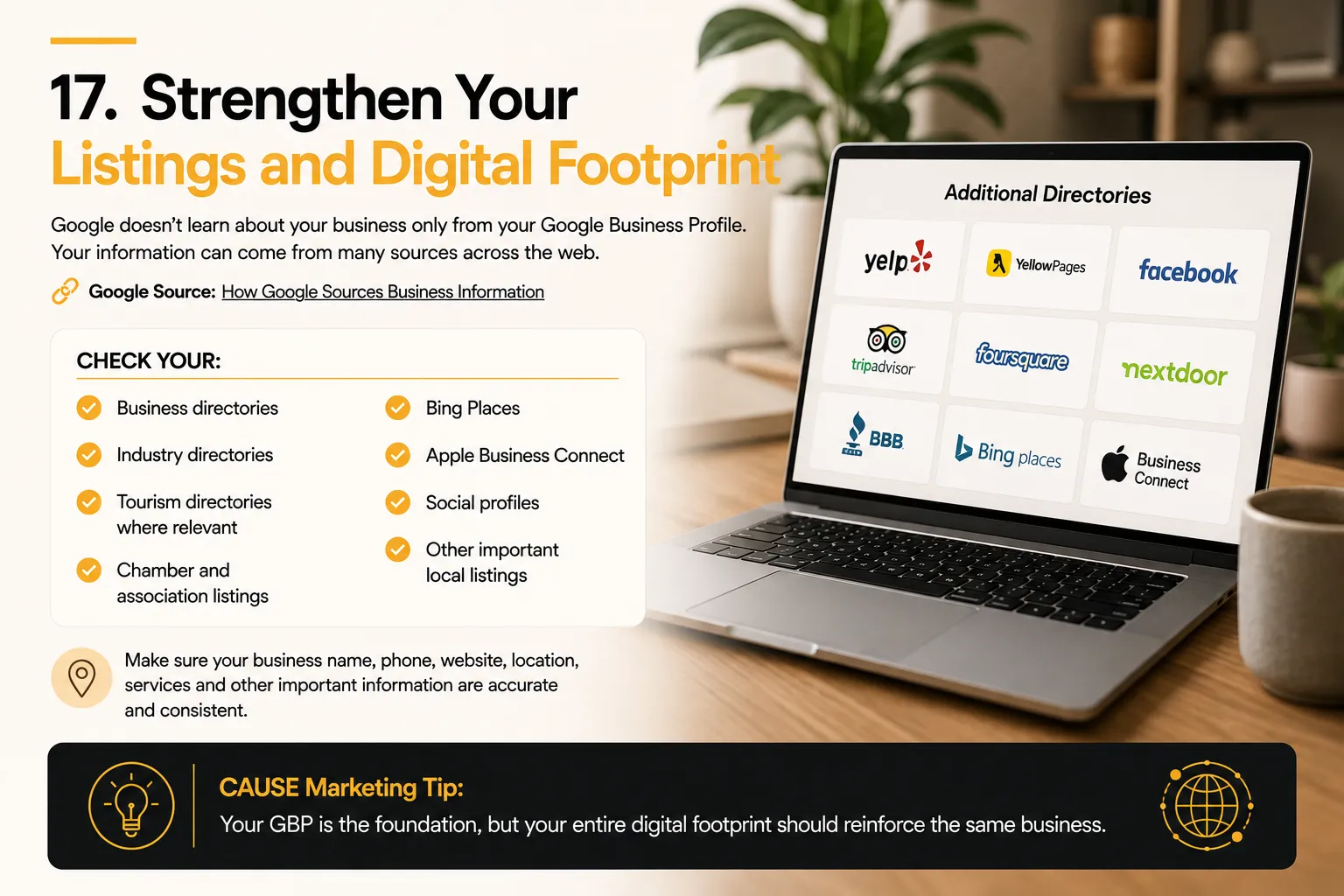
17. Strengthen Your Listings and Digital Footprint
Google doesn’t learn about your business only from your Google Business Profile.
Google says Business Profile information can come from your official website, publicly available web content, third-party data, user contributions, photos, reviews and information provided by the business.
Google Source: How Google Sources Business Information
That means your broader digital footprint matters.
Check your:
☐ Business directories
☐ Industry directories
☐ Tourism directories where relevant
☐ Chamber and association listings
☐ Bing Places
☐ Apple Business Connect
☐ Social profiles
☐ Other important local listings
Make sure your business name, phone, website, location, services and other important information are accurate and consistent.
CAUSE Marketing Tip: Your GBP is the foundation, but your entire digital footprint should reinforce the same business.
18. Test What Customers, and AI, Actually See
Once your profile is optimized, test how large language models (LLMs) like Gemini, ChatGPT, and Ask Maps perceive your entity. AI engines don’t just match keywords; they synthesize your data to answer complex, multi-intent prompts.
First, review your Google Business Profile through a semantic lens:
Is your core entity definition unmistakable to an AI scraper?
Are your structured services explicitly mapped out?
Are your multimodal assets (photos/videos) tagged with relevant geolocation data?
Is your conversion path (booking/calling) clear of broken schema links?
Next, test natural language, long-tail queries that mirror real conversational search patterns.
Conversational AI Test Prompts
Multi-Intent Local: “Where can my partner and I book a couples massage today that has free on-site parking?”
Niche Attribute: “Which Okanagan wineries offer private, guided tastings paired with local artisan cheeses?”
Contextual Travel: “Where should we stay in Whistler for a romantic anniversary weekend that features a heated pool and spa?”
Specialty Medical: “Which licensed chiropractor nearby specializes in acute sports injuries and accepts walk-ins?”
Urgency & Availability: “Who is a highly rated plumber available to fix a leaking water heater right now?”
AI Visibility Audit Checklist
☐ Entity Presence: Does your business appear in the AI Overview or conversational map stack?
☐ Competitor Share of Voice: Which competing entities are recommended for these exact prompts?
☐ Semantic Sentiment: How does the AI summarize your business tone and reputation?
☐ Service Synthesis: Does the AI accurately list your specialties?
☐ Geographic Proximity: Does the model understand your precise service area boundaries?
☐ Data Provenance: What specific sources (reviews, website text, GBP) is the AI citing to justify its recommendation?
This marks the transition from traditional Search Engine Optimization (SEO) to Answer Engine Optimization (AEO).
The critical question is no longer: “What page do I rank on?”
It is now: “Does the AI trust my business data enough to recommend it to a high-intent user?”
Not sure what Google and AI currently understand about your business?
19. Turn AI Visibility Into Leads, Customers and Growth
Getting found is only the beginning.
Once your Google Business Profile and website are optimized, the next step is continually building your visibility—and making sure that increased visibility can actually turn into leads, customers and repeat business.
That is the purpose of CAUSE Marketing’s Ongoing AI Search Marketing.
We continue strengthening your presence across Google and AI search while also building the marketing systems that help convert that visibility into business growth.
Depending on the package, your ongoing strategy can include:
☐ Google Business Profile management and optimization
☐ Google Posts and fresh content
☐ Review generation, seed-word strategy and responses
☐ Original photos and short-form video
☐ AI-optimized website and blog content
☐ FAQs and conversational search content
☐ Listings and digital footprint management
☐ AI visibility and competitor monitoring
☐ Landing pages
☐ Sales funnels
☐ Email marketing and automated follow-up
☐ Customer retention and reactivation programs
☐ Social media content and management
The goal isn’t simply to help your business get found.
It is to create a connected marketing system that helps your business:
Get Found → Get Recommended → Generate Leads → Convert Customers → Retain Customers → Grow
Our ongoing AI Search Marketing programs are designed for businesses ready to build visibility, leads, conversion and customer retention over time.
AI Search Marketing starts at $1,497/month, with expanded programs at $2,997/month depending on the level of marketing support your business needs.
Explore CAUSE AI Search Marketing
CAUSE Marketing Tip: AI visibility is most valuable when there is a system behind it to turn discovery into leads, leads into customers and customers into long-term revenue.
20. Keep Your Google Business Profile Current
Optimization isn’t a one-time project.
Your business evolves—services, products, hours, team, photos, seasonal offers and even the questions customers ask all change over time.
Google also continues changing its products, features and AI-powered search experiences.
Your Google Business Profile needs to evolve with your business.
Monthly GBP Maintenance Checklist
☐ Check business information
☐ Check regular and special hours
☐ Review services and AI-optimized descriptions
☐ Review products
☐ Review attributes
☐ Publish Google Posts
☐ Upload new original photos
☐ Add relevant short video
☐ Request new customer reviews
☐ Respond to reviews
☐ Review search terms and profile performance
☐ Check website and booking links
☐ Check website consistency
☐ Check important business listings
☐ Review important competitors
☐ Test important Google searches
☐ Test relevant Gemini and AI discovery queries
CAUSE Marketing Tip: Optimization creates the foundation. Ongoing maintenance keeps the digital version of your business aligned with the business that exists today.
Google Business Profile Optimization: Final Checklist
Before you consider your profile optimized, ask yourself:
☐ Is our profile verified?
☐ Is our business information complete and accurate?
☐ Is our primary category correct?
☐ Have we reviewed legitimate additional categories?
☐ Does our description clearly explain the business?
☐ Are our important services listed?
☐ Do those services have useful descriptions?
☐ Are appropriate products included?
☐ Are our attributes complete?
☐ Are our service areas accurate?
☐ Are our website and booking links correct?
☐ Are our hours and special hours current?
☐ Do we have recent, authentic photos?
☐ Do we have useful video content?
☐ Are we consistently generating genuine reviews?
☐ Are we responding to reviews?
☐ Are we publishing useful Google Posts?
☐ Does our website reinforce our GBP information?
☐ Are our important online listings accurate?
☐ Have we tested how customers see our profile?
☐ Have we checked our visibility across Google and AI search?
☐ Do we have a plan to keep everything current?
If you answered no to several of these questions, your Google Business Profile may have opportunities for improvement.
FAQS
What is Google Business Profile AI optimization?
It is the strategic formatting of your core entity data to ensure major language models (LLMs) can easily index, trust, and recommend your business. Instead of just stuffing keywords, AI optimization involves structuring your categories, semantic service descriptions, multimodal attributes (photos/videos), and real user intent signals so AI search engines immediately understand your exact specialization and capabilities.
Does Google Business Profile help my business appear in AI search?
Yes, it is one of the most critical authorities of local entity truth. However, AI search engines do not look at your profile in a vacuum. Google’s AI synthesizes your GBP data with your website’s structured schema, third-party directory signals, user reviews, and public web footprints to build a comprehensive digital picture of what your business does and where you operate.
How do I optimize my Google Business Profile for Gemini and Ask Maps?
There are no shortcuts or “hacks” for LLM algorithms. Optimization requires providing a flawless, interconnected ecosystem of structured data. Ensure your core categories match consumer intents, explicitly list out your service attributes, maintain accurate geofenced service areas, and continuously upload context-rich media. Consistency across your GBP and your website is what builds the algorithmic trust required for Gemini recommendations.
How often should I update my Google Business Profile?
You should execute a full profile audit at least once a month, or anytime a business operation shifts. AI models penalize stale profiles. Keep a strict schedule for refreshing your operating hours, publishing geo-targeted Google Posts weekly, updating product inventories, and uploading fresh visual media weekly.
Do Google reviews help with AI search?
They are absolutely critical. Modern AI engines crawl the natural language within your reviews to understand context, sentiment, and unlisted specialties. Do not try to script customer reviews. Instead, guide your clients to answer natural, conversational questions: What specific problem did we solve? What stood out about the service? This creates organic, long-tail semantic text that matches real-world voice search prompts.
Should every service have a description on Google Business Profile?
Yes. Where available, every primary and secondary service should feature a detailed description. Avoid generic, one-word titles. Use these fields to explain exactly what the service entails, who it is for, and the specific consumer pain points it resolves. This provides the deep contextual data that AI engines look for when answering complex, multi-intent user queries.
Are photos and videos important for Google Business Profile optimization?
Absolutely. Google Search and Maps rely heavily on multimodal AI, meaning the algorithms can interpret the contents of images and videos just like text. Ditch the generic stock photos. Upload authentic, high-quality, and geo-tagged media of your team, physical location, completed projects, and equipment to signal real-world legitimacy to the AI.
Do I still need a website if I have a Google Business Profile?
Yes. Your website and your GBP must act as a unified data source. While your profile acts as your primary entity card, your website provides the deep infrastructure AI scrapers crave. It allows you to build out dedicated service-area pages, structured FAQs, deep-dive blog content, and Local Business schema markup that validates your GBP data.
Want CAUSE Marketing to Do It for You?

You can work through this guide yourself.
Or, for $497 CAD, CAUSE Marketing can complete your Google Business Profile AI Optimization for you.
We optimize the major elements covered throughout this guide, including your business information, categories, description, services, products, attributes, links, photos, video strategy, reviews, Google Posts and overall Google + AI visibility foundation.
Google Business Profile AI Optimization — $497 CAD
Explore Google Business Profile AI Optimization
Helping Local Businesses Win With AI Search.